Saturday, June 2, 2012

Happy Birthday Truffle!

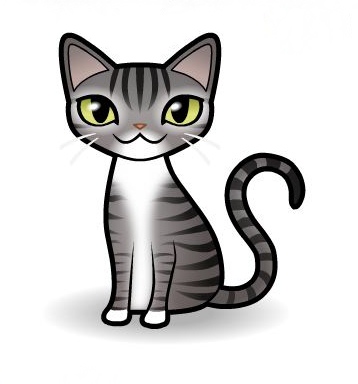
Truffle, you had a drop dead gorgeous ball with so many beautiful cats!  What a great job everyone did!

Here are you avatars.  If there is any detail that isn't right, let me know.  Believe it or not, it was really difficult trying to see the color of your eyes.  (Note from Oui Oui:  It would REALLY help if she wore her glasses!)

 Truffle

Brulee

If there is any detail you don't like, let me know and I'll see if I can change it.  Happy Birthday!


***********

TO BRANDI:  I can't access your site.  If I could, I'd make an avatar for you, too.  Can you contact me?
edensp1@hotmail.com   
If anyone is in contact with her, can you please tell her we're trying to get in touch with her? Thanks!

Friday, June 1, 2012

A Quick Post Between Storms

Hi Kitties!

We're sorry, but this is going to be a rush post.  Some violent weather came through with rain so heavy, even though the windshield wipers were going as fast as they could, the windshield was a sheet of water and there was no visibility.  We were without power for hours and hours, and there is another line of storms coming.  So, we wanted to thank everyone for their comments, and we're glad you had fun with cartooning your kitties.  The mom visited some blogs earlier today (at work, hee hee) and loved all the cute avatars!  She might even do a post (just one!) on people avatars.  Anyway, have a great weekend, and we'll be in touch personally really soon.

Purrs,
The TTT gang & Mom

Thursday, May 31, 2012

Editing Your Kitty Avatar

Ok, you've made your avatar and snipped it, all it needs is a little cleaning up.  For this I use Photoscape (because its easy and FREE).  You may have to download it, if so click here.  You can use other programs, too.

Click on Editor

To the left will be your files, find the one with your avatar, open it and click on your avatar.

At the bottom left will be a tab called "Tools", click on it.

A snip showing the files, the photos in the highlighted file and the editing box.

In the box click on "Clone Stamp".  Pick your brush size, I start with big and work my way down, if needed.

Click on an area you want to clone, usually close to the area you want to delete.  Anything in that circle will be replicated.  Move your mouse over to the area you want to remove and click.  Anything in the 2nd circle will be replaced by what's in the first circle.  Click away until everything is gone.

I'm making an avatar of Katie Isabella.
This is what I'm starting with, I'm ready to go with the biggest brush.

You probably will need to reset either the size or the angle.  I click on any of the other tools then reclick on the Clone Stamp.  If you don't like what you did, click on "Undo" for the last actions or "Undo All" to start all over.

Midway through deleting the "junk".
I can't show you what the clone stamp looks like, but its like a barbell.
When I move the mouse to go to the snipping tool, the clone stamp moves off Katie.

If you want to further customize your avatar, now is the time to do it.  You can use the Clone Stamp or the paint brush.  Click on the little color box to pick your color if you are painting.  I find it helps to enlarge the image when doing this kind of work.

You may have noticed it doesn't have Katie's famous half 'tache.
I picked something close when cartooning her and I'm going to create it.
I've enlarged her 200% and am using the big clone stamp brush.
Hey!  There's part of the clone stamp at the top!  How did I do that?

Further refinements using smaller brushes and a lot of changing the angle of the stamp.
There's the clone stamp on the left.
I'm working in really tight spaces, so the 2 circles are very close.

Now I'm going to use the paint brush to smooth out the rough edges.
The grey box to the right of the tool has instructions.


When you are done, click on the "Crop" tab next to the "Tool" tab. Draw a box around your avatar then click on "Crop".

You can play with the cropping.
I usually don't center, that's a no no in art school.
For this application I keep it close, but you could really have fun with the cropping.

Click on "Save".  Click on "Save As" when the new box pops up.  Name your file and pick your resolution.  Higher is better!

 The final Katie!
I hope she likes it.

I did a new Hannah.
I didn't really like the first one.
All the floofy body styles are squat.
I thought she looked like something out of the movie Gremlins.

By the way, see the GIF tab?  This is where you go to make those moving GIFs.  Its as easy as uploading 2 photos.  Look around the box where the Tools & Crop tabs are, as well as Photoscape.  You can do all kinds of neat stuff.  Add borders, do montages, add speech bubbles, make posters etc.

Are you having problems?  Let me know and I will try to help.  Most importantly, have fun!

UPDATE:  Go see what Sometimes, Cats Herd You did with their kitties!  They did a great job, and had a really creative solution for a one eyed  cat!

Wednesday, May 30, 2012

Clipping and Saving Your Kitty Avatar

So you created an avatar of your kitty, and it is the cutest thing you have ever seen.  Of course you want to save it!   Today we are going to snip it off the screen.

Go to your "Start" button in the lower left corner of the computer screen (it could look like the Windows logo in a blue sphere) and click on it.

Then click on "All Programs".

Find "Accessories" and click on it.

Look for "Snipping Tool", click on that too.  A little box comes up and the screen will gray back some.  If you can't find the tool, no worries, see the end of this post.

You are now ready to snip your avatar.  If you know how to crop a photo, it works exactly the same way.  If you don't, eye ball maybe a half inch more to the left and top of your kitty and click in the upper left corner where they intersect.  Drag your mouse over to the right then drag it down to create a box.  Don't worry if you have some other images inside the box, we will clean them up.  Its better to have too much area around it than not enough.

When you release the mouse, a box with your avatar will appear.  Click on the disc icon in the upper left corner to save your avatar.  I save mine as a JPEG and file them in with my photos.  You should have something that looks like this:

Give it a nice name.  After its saved we will clean up those other parts of the screen we don't want, crop it and you will have a kitty like this:

This sounds a lot more complicated than it is.  It only takes 30 seconds.  After you use the snipping tool, it will show up as soon as you open the "Start" button, so you don't have to look for it.  BTW, if you click on the snipping tool where it says "new", you can change the shape being snipped.  You can use this tool for saving anything online you see and like.

Here's a link to a website that has pictures and even a video at the end if I have confused you.

Most new computers come with a snipping tool.  If you don't have it, you can download it for free.  Go to Google and type in "Free Snipping Tool" and the name of the program your computer runs on - Windows XP, Windows 7, what ever.

Tomorrow we will do the final step - clean up and crop your avatars, so start snipping!

Tuesday, May 29, 2012

How to Make A Kitty Avatar

The mom had some time this past holiday weekend, and instead of doing what she should have been doing, she played around with avatars.  She found a website that creates animal avatars, not just cats and dogs, but horses, reptiles, birds, you name it.  She made one of each of us.

This is me, meowing for a breakfast I will refuse to eat.
(Yes, the mom is sarcastic!)

 And angelic Julie.

Carl singing an aria in the middle of the night.

And Mica Minnie Moo.
The mom gave MMM a "wider" body.
She's nicknamed "Waddles" for a reason.

MMM's avatar was disappointing, there was no way to lay down tortie coloring in a meezer pattern.  Other than that, we loved it.  Unfortunately, there is just one pose.

The website is called Cartoonize My Pet.  Its actually part of Zazzle and is meant to generate art to put on merchandise to sell.  So after you have created your masterpiece, you can't download it in a form usable on your blog, although you could use it to personalize coffee mugs, key chains and the like.  That's ok, cause the mom knows how to copy it.

As you can see along the left side, you can do all kinds of living creatures, and probably some that exist only in your imagination.  Just pick your type of animal then click on the "Cartoonizer" and start creating!  Experiment!  All the little buttons and arrows work, so have fun!

Tomorrow she'll tell you how to save the new cute image of your four footed sweetie!

In the meantime, she created some avatars for friends.  Sparkle didn't think she'd seen a good Somali avatar, so the mom tried.  How is this?


Also, Hannah and Lucy asked she TAAALK REEAAALLYYYY LOOOUUUD AAND SLOOOWLYYY for their mum, but we thought that would drive everyone batty, so our mom did avatars for their mum.  Those two girls give their mum no breaks at all!

 Hannah is probably making a sarcastic remark.
You couldn't see her mouth if it wasn't open.


Tomorrow we'll talk about copying the images so they are usable.  Its even easier than making the avatars!

The mom is willing to make avatars for friends who would like her to do it for them.  Just let us know.  If you'd like them emailed, again, just speak up.  The mom tends not to center things, if that bothers you, let her know.  She's a little off center herself!

Have fun and let your inner artiste out!

UPDATE:  There are many options for kitties at Cartoonize My Pet, but the other animals are limited. Still, with an editing program, you should be able to do some customization.

Monday, May 28, 2012

TABBY TUESDAY

Last week The Tabby Club was going to have an event called "The Purrfect Present", but it was postponed due to the very sad and untimely demise of one of our members, Captain Casper.  So today we are posting it.

In the time since I wrote the original column, which you can see here at The Tabby Club, I have had time to rethink what I wrote.  I have a great new idea for the purrfect present for the mom!  In fact, I already gave it to her!  One night she was getting into bed, and started with a, "Owww!  What's that?" and "What the...?".  AND there was the purrfect present, right in the bed with her!

 Dear Bastet, Please let it be my claw!
I've been a good kitty!

Look!  The mom taught herself how to do avatars!
She did one for each of us.
We'll show you how soon,
it was really easy!

Sunday, May 27, 2012

Happy Memorial Day


Let us remember all the brave men and women who died for what they believed in, to make the world a better place for those they loved. Those who put their principles before the value they placed on their own lives, beginning with the farmers who took up arms in the Revolutionary War to the present day soldiers in the Mid East.  From all your grateful countrymen, thank you.